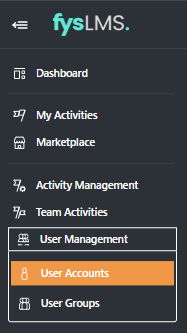
- Select the "User Management" tab located in the left navigation menu and then "User Accounts" from the dropdown.
- Locate and select the user you would like to allocate the User Administrator privileges too.

- In their User Details page, scroll to the bottom and click the slider toggle on "User Administrator". Once enabled it should look like the below.
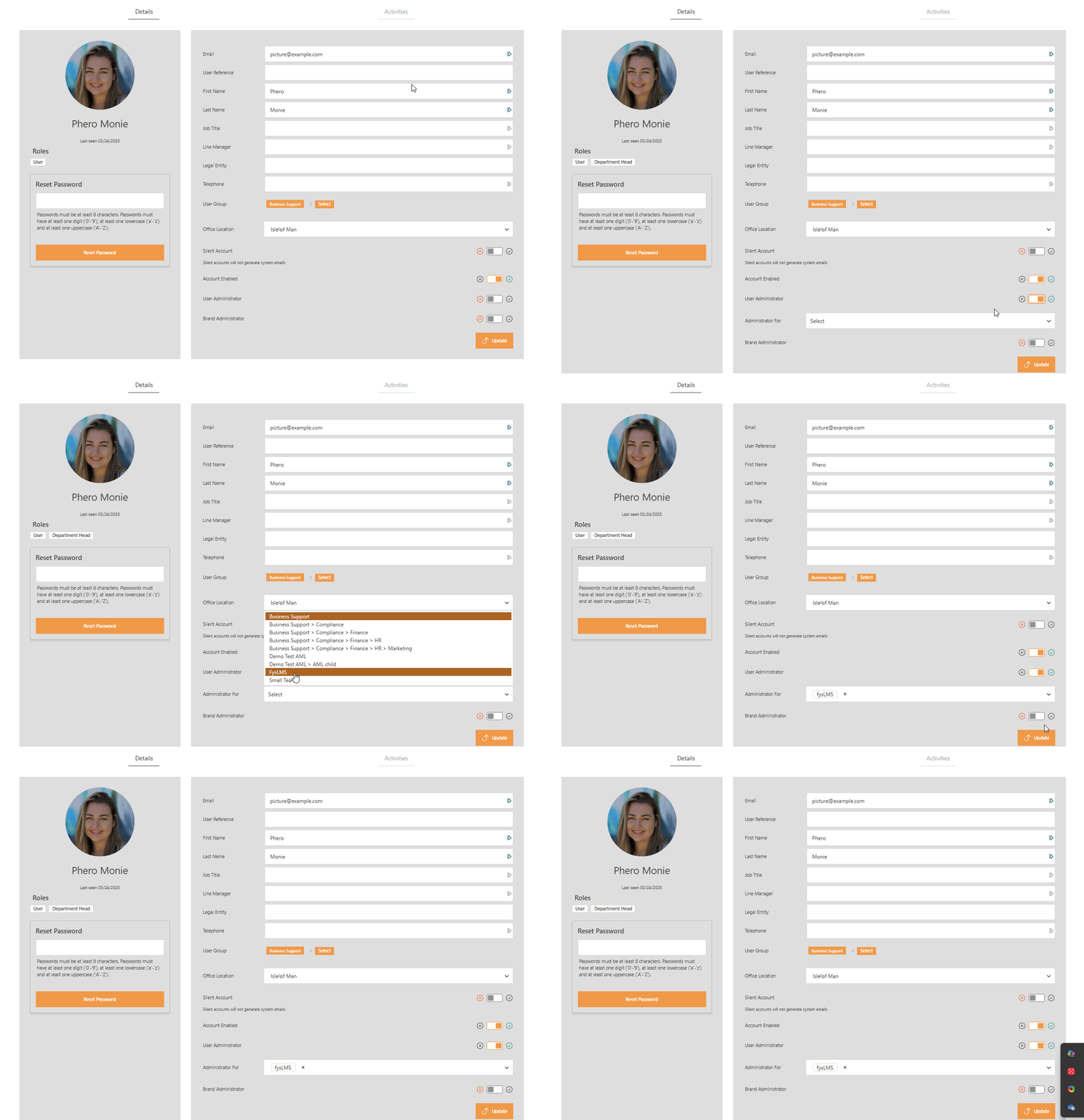
- Select the user group you want the user to have administrative rights over, you can select multiple options in this menu.
- Finally, select the "Update" button.
English