
When you click on your initials or photo (depending on your company's settings), you'll be taken to your profile, which has two main sections: Details and Activities.
.png?width=670&height=333&name=fyslms_Profile%20(2).png)
Details - Here, you'll find information about your position and account. Most of these fields are locked, but if anything looks incorrect, reach out to your system administrator. You can also reset your password in this section if needed.
Activities - Track your learning progress, showing items marked as Upcoming, Overdue, and Completed. By default, you'll see records from the past three months, but you can adjust the date range at the top of the page.
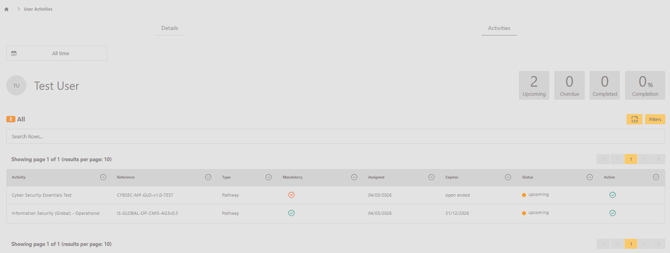
If an activity had an end or expiry date that has already passed, it won’t show up unless you turn on the ‘Include ended activities’ toggle within the filter options.