![MetisLogo_Filled_Short.png]](https://www.metis.support/hs-fs/hubfs/MetisLogo_Filled_Short.png?height=50&name=MetisLogo_Filled_Short.png)
Please note, this is not a default feature on your administration site.
To get this functionality added to your administration site, please get in touch with your account manager.
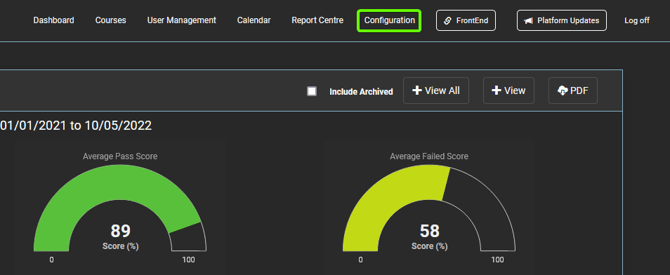
- After logging in to your “Administration” site, select the “Configuration” tab.
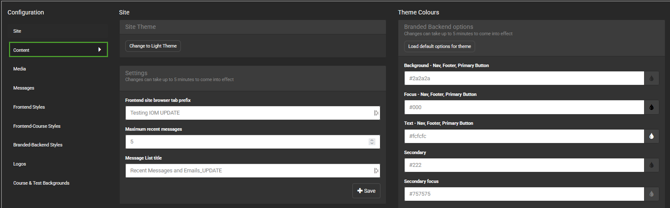
- Next, select “Content” from the sidebar menu.
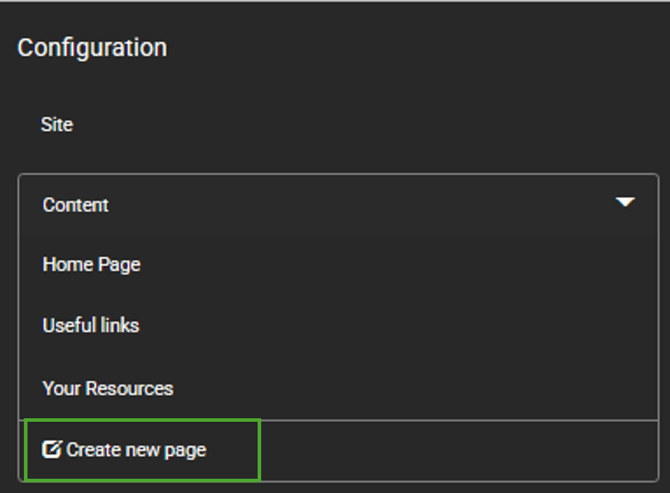
- From here, select the “Create new page” button located at the bottom of the dropdown.
- Add the title of the page followed by the “+ Add Page” button.

5. From here, you can add content onto your page as desired using the editor box on screen.
For more information on editing content pages, please follow this link.