![MetisLogo_Filled_Short.png]](https://www.metis.support/hs-fs/hubfs/MetisLogo_Filled_Short.png?height=50&name=MetisLogo_Filled_Short.png)
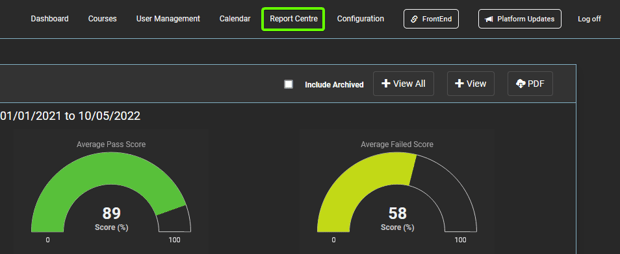
1. After logging in to the “Administration” site, select the “Report Centre” tab located in the navigation bar.
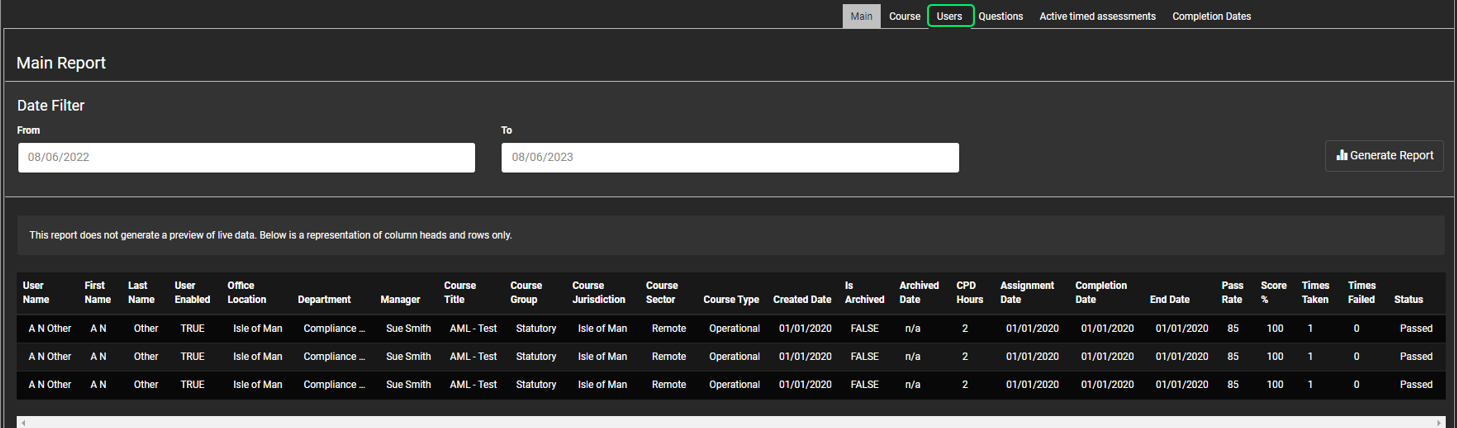
2. Once on the "Report Centre" tab, select the “Users” filter in the navigation bar.
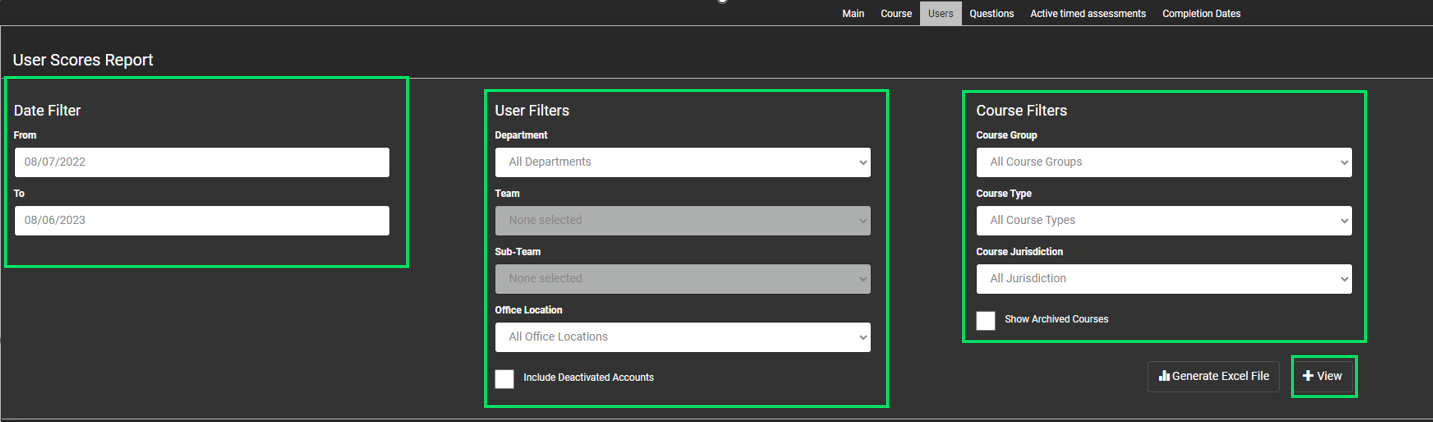
3. From here, you can filter your results further including course group, course type, department and time period. Once you've selected your filters, select "View".
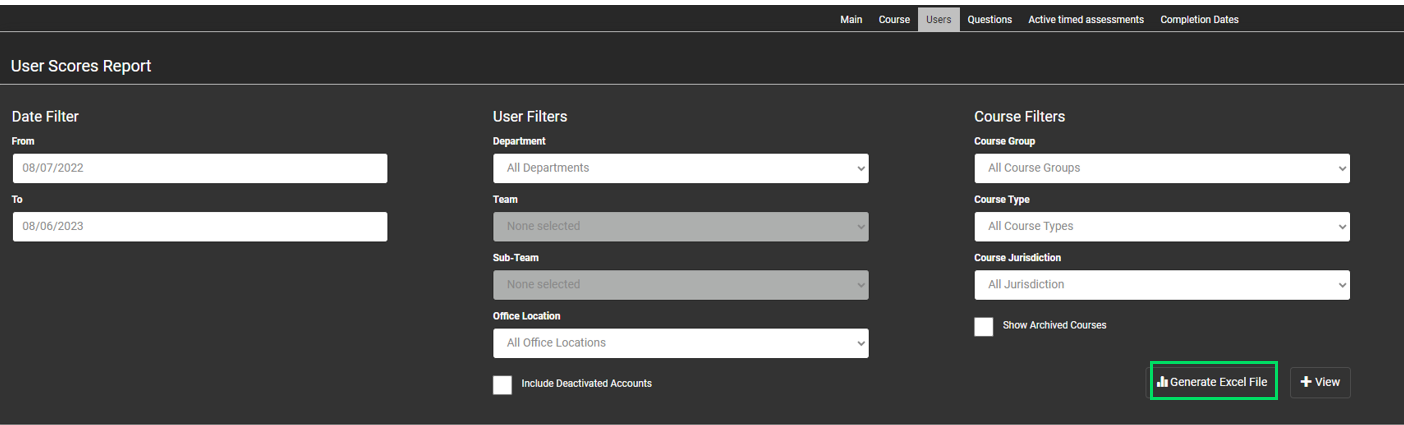
4. To export the results, select the “Generate Excel File” button.