![MetisLogo_Filled_Short.png]](https://www.metis.support/hs-fs/hubfs/MetisLogo_Filled_Short.png?height=50&name=MetisLogo_Filled_Short.png)
Please note, this is not a standard feature on your administration site.
To get this functionality added to your platform, please get in touch with your account manager.
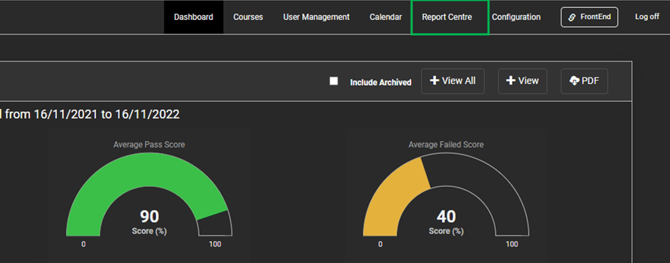
- After Logging in to your "Administration" site, select the "Report Centre" tab.
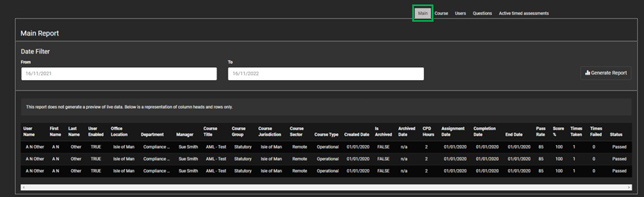
- From here, select the "Main" tab. The list of possible options will change depending on what features your site has available.
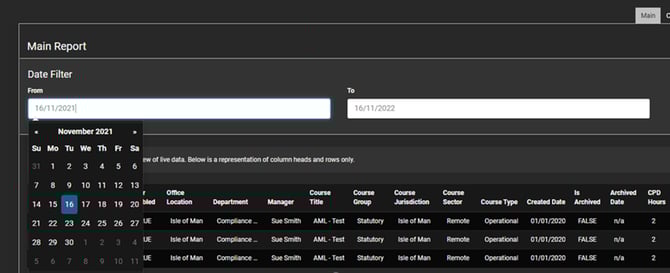
- For a default report, keep the date range the same, this will cover a year back from your current date. However you can alter the dates as you desire.
- Once you are happy with the range selected, select the "Generate Report" button.
- Enter the email address you would like the report sent to.
- An email containing the report requested will be delivered and be presented in the format displayed below.