![MetisLogo_Filled_Short.png]](https://www.metis.support/hs-fs/hubfs/MetisLogo_Filled_Short.png?height=50&name=MetisLogo_Filled_Short.png)
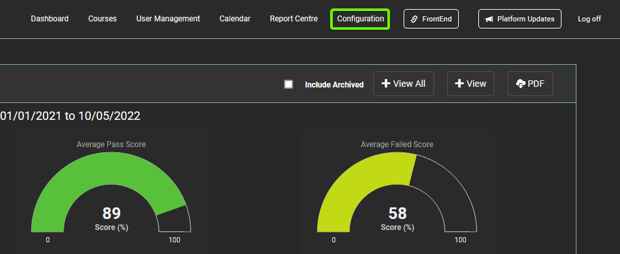
1. After logging into your "Administration" site, select the "Configuration" tab.
2. To make changes to the homepage, select "Content" in the side navigation bar and then select "Home Page". Alternatively, you can select the "About Us" or "Contact" page to make amendments.
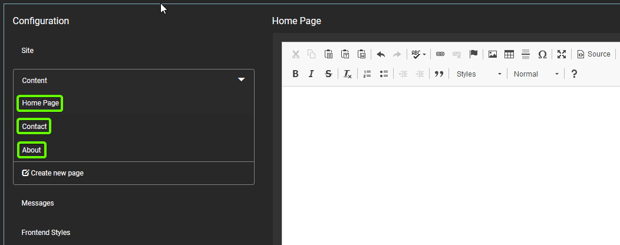
3. Once in the selected page, use the text-box and associated WISYWIG editor to make the necessary amendments.

4. Hover over the different icon sets within the WISYWIG editor for more information on their functionality.

5. Once you have completed your amendments, select "Save" so they are reflected in the front-end.

6. To add PDF's to any of your pages, please get in touch with your Compliance Academy Relationship Manager for next steps.